Google Business Profile Optimization: A Step-by-Step Checklist
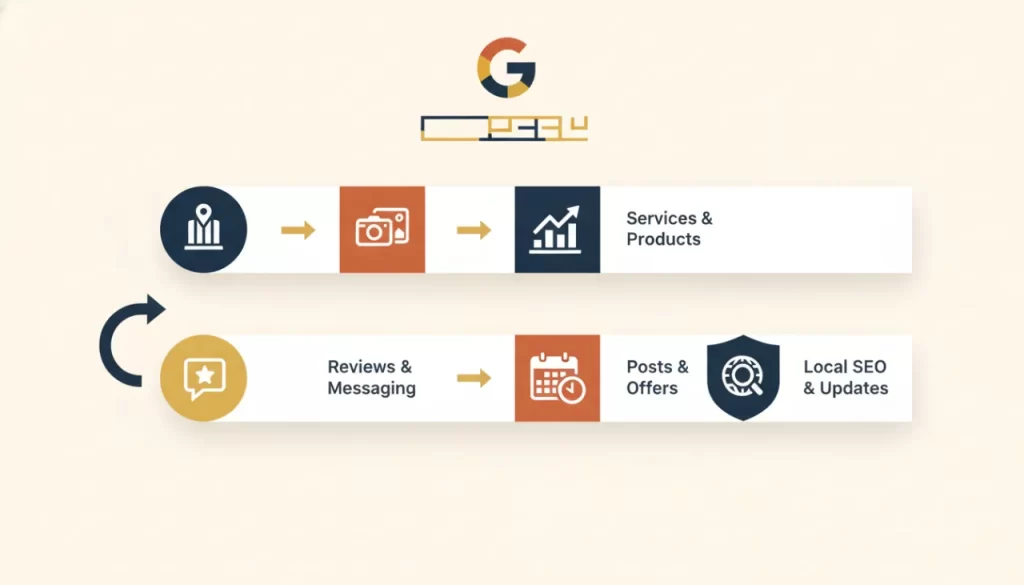
Your Google Business Profile (GBP) is the most visible piece of real estate your business occupies online — and most businesses set it up once, forget it, and wonder why competitors keep appearing above them in the Map Pack. Optimization isn’t complicated, but it requires consistent attention. This checklist walks through every element that influences your ranking and visibility.
The Foundation: Get These Right First
Before anything else, make sure the basics are locked in:
- Claim and verify your listing. If you haven’t received a verification postcard or completed phone/video verification, nothing else matters. An unverified listing won’t rank.
- Business name. Use your real business name exactly as it appears on your signage and website. Adding keywords to your name violates Google’s guidelines and can get your listing suspended.
- Primary category. This is the single most important ranking factor in your GBP. Choose the most specific category that describes your core business — “Plumber” beats “Home Services.” You can add secondary categories after.
- Address and service area. If you operate from a physical location customers visit, use your exact address. If you’re a service-area business, hide your address and define your service area by cities or zip codes instead.
- Phone number. Use a local phone number, not a toll-free number. Local area codes are a trust and relevance signal.
- Website URL. Link to your actual homepage or a relevant landing page, not a social media profile.
Business Description
You get 750 characters. Use the first 250 wisely — that’s what shows before the “more” cutoff. Write a description that includes your primary service type, your city or service area, and one or two differentiators. Don’t stuff keywords, but do write the way a customer would naturally search for you. This section is indexed by Google.
Services and Products
Many businesses skip the Services section entirely. Don’t. Add every service you offer as a separate entry, with a description that naturally includes the terms customers use. If you’re a roofing company, don’t just list “roofing” — add “residential roof repair,” “commercial flat roofing,” and “storm damage restoration” as individual entries. Each one is an additional signal to Google about what you do.
Photos: Quality and Cadence Matter
Profiles with photos get significantly more direction requests and website clicks than those without. What to upload:
- A professional logo (displays in search results)
- A high-quality cover photo that represents your business clearly
- Photos of your work — before and after, completed projects, your team in action
- Interior and exterior photos if you have a physical location
- Team photos with real names — builds trust before a customer calls
Upload new photos at least monthly. Fresh photo activity signals an active, maintained business to both Google and potential customers.
Q&A Section
The Q&A section allows anyone to ask — and answer — questions about your business. Seed it yourself with the questions you get most often: “Do you offer free estimates?” “Are you licensed and insured?” “What areas do you serve?” Answer them thoroughly and naturally. This section appears in your listing and can include keywords your description doesn’t.
Google Posts: Your Built-In Content Feed
Google Posts let you publish short updates, offers, and events directly to your GBP. They appear in your listing for seven days (offers can run longer). Post at least twice a month. Topics that work: seasonal promotions, new services, completed project spotlights, or brief tips relevant to your industry. Include a clear CTA and a real photo.
Review Management
Reviews are both a ranking signal and a conversion signal. Respond to every review — positive and negative — within 48 hours. When responding to positive reviews, thank the customer specifically and naturally mention the service they used. This adds keyword-rich content to your listing. Never respond defensively to negative reviews; keep it professional and offer to resolve the issue offline.
Monthly Maintenance Rhythm
Set a monthly calendar reminder to:
- Publish two new Google Posts
- Upload three to five new photos
- Respond to any unanswered reviews or questions
- Verify that your hours are still accurate
- Check that your primary category and services still match what you’re actively selling
An optimized and maintained GBP is foundational to your entire local SEO strategy. If you’re not sure where your profile stands, or if you want a professional to build and maintain it as part of a broader local SEO effort, get in touch with us. We’ll tell you exactly what’s working and what isn’t.
Frequently asked questions
How often should I update my Google Business Profile? +
At minimum, check it monthly and post at least twice a month. More active profiles tend to rank better and convert better. Any time your hours, services, or phone number changes, update immediately — incorrect information damages trust and can trigger spam reports from competitors.
Does adding keywords to my business name on Google Business Profile help rankings? +
It violates Google’s guidelines and can result in your listing being suspended. Your business name should match your real-world business name. Use the Services section, business description, and Q&A to incorporate keywords naturally.
What’s the difference between primary and secondary categories? +
Your primary category is the most important signal to Google about what your business does — it has the most weight in determining which searches you appear for. Secondary categories expand your visibility to related searches without diluting the primary signal. You can add up to nine secondary categories.
Can a competitor edit or spam my Google Business Profile? +
Unfortunately, yes — anyone can suggest edits to your profile, including competitors. This is why monitoring your listing monthly is important. If you notice incorrect changes, report them through the GBP dashboard. Keeping your listing actively maintained also makes it harder for bad edits to stick.