Local Landing Pages: How to Create Location Pages That Actually Rank
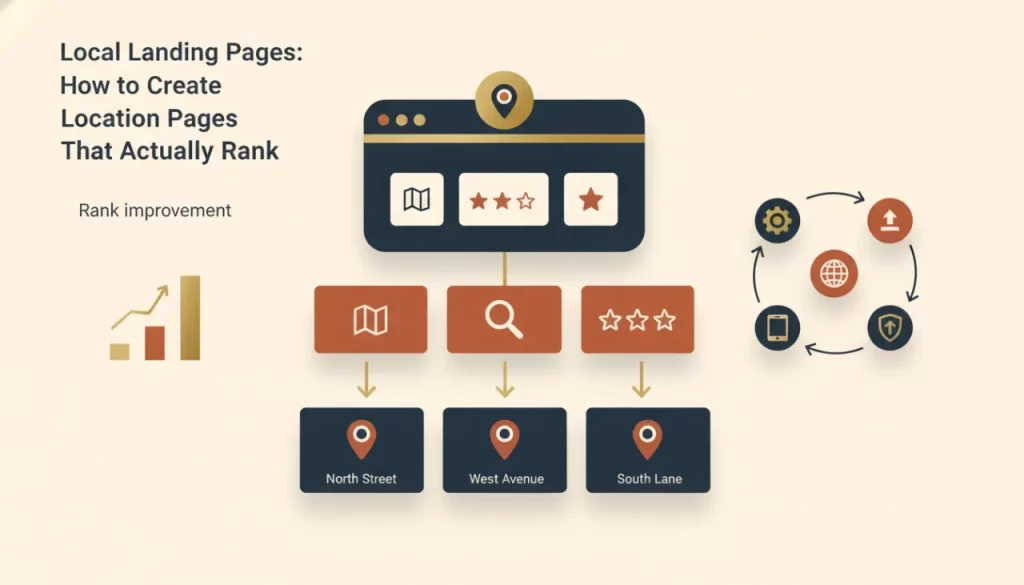
If you serve multiple Texas cities, local landing pages are one of the highest-leverage SEO investments you can make. Done right, a well-built location page can rank your business for searches like “roof repair Plano” or “family dentist Sugar Land” — without a physical office in those cities. Done wrong, it wastes your time, dilutes your site, and may actively hurt your rankings.
The difference comes down to whether the page is genuinely useful to someone in that city, or whether it’s just a template with the city name swapped in.
What Makes Google Reward a Location Page
Google has been explicit about this: thin, templated location pages — where the only thing that changes is the city name — don’t provide unique value and don’t earn unique rankings. What does work is a page that:
- Contains substantively different content from your other location pages
- Provides information genuinely useful to someone in that specific city
- Demonstrates local knowledge — specific neighborhoods, common local issues, area-specific context
- Is structured technically to reinforce the geographic relevance signal
The Anatomy of a Location Page That Ranks
Unique, Location-Specific Content
This is where most businesses fail. Write content that could only be about that specific city. For a roofing company: mention the weather patterns in that area (North Texas hail season, Gulf Coast humidity), local neighborhoods where you’ve worked, common roofing issues specific to the region’s construction era. For a plumber: reference the local water quality issues, the age of housing stock in certain neighborhoods, any city-specific permitting considerations. This kind of detail signals genuine local presence — not a template.
LocalBusiness Schema
Schema markup tells Google in structured data exactly what your business is, where it operates, and what it does. A location page should include LocalBusiness schema with the city name and service area specified. This is technical work, but it meaningfully helps Google understand the page’s geographic relevance.
Embedded Map
An embedded Google Map centered on the city you’re targeting is a simple but effective local signal. It reinforces the geographic context of the page visually and technically.
Internal Links Done Right
Your location pages should link to your main service pages and your other location pages, and your service pages should link back to relevant location pages. This internal linking architecture builds topical and geographic authority throughout your site. Our Texas service area pages are built on exactly this structure.
Real Call to Action
Don’t bury the conversion element. Every location page should have a prominent phone number and contact form above the fold. The goal is to rank AND convert — getting the click is only half the job.
What a Thin Location Page Looks Like
A thin location page often sounds like this: “We provide plumbing services in [City], Texas. Our plumbers in [City] are experienced and affordable. Call us for plumbing in [City] today.” That’s keyword stuffing wrapped in the thinnest possible content, and Google is very good at identifying it. It won’t rank, and it may drag down the authority of the rest of your site.
How Many Location Pages Do You Need?
Build pages for every city or area where you actively want to rank. For a service-area business, that might be ten to twenty pages. For a home services company with a large territory, it could be more. The key constraint is quality — only build pages you can write genuine, differentiated content for. Five excellent location pages outperform thirty thin ones every time.
Building location pages that genuinely rank takes real craft — both in content and technical structure. Our local SEO service includes location page strategy and builds. Custom website builds from us always include this architecture from the start. Let’s talk about your service area and what a full location page strategy would look like.
Frequently asked questions
How long should a local landing page be? +
Long enough to be genuinely useful — typically 500 to 1,000 words of meaningful content. Length itself isn’t the goal; comprehensiveness is. A page that thoroughly covers what you do in that city, why you’re qualified, and what customers there need to know will naturally run longer than a thin template.
Can I use the same content across multiple location pages? +
No. Duplicate content across location pages is one of the clearest signals to Google that your pages aren’t providing unique value. Each page needs substantively different content. You can use the same structure and CTA elements, but the body content — particularly the sections describing local context — must be unique.
Do I need a physical address in a city to have a location page for it? +
No. Service-area businesses regularly rank in cities where they have no physical location. What you need is genuine service in that area and a page that demonstrates local relevance. Having a physical office in the city does give you a proximity advantage for Map Pack results, but it’s not required to rank for organic location-specific searches.
How long before a location page starts ranking? +
In a less competitive market, a well-built location page can start appearing in search results within a few weeks of indexing. Ranking competitively — showing up in the top three positions — typically takes two to six months of consistent optimization, internal linking, and citation support. Competitive markets take longer.