E-Commerce Website Costs for Texas Retailers: A Real Breakdown
A Texas boutique owner in Austin wants to sell her clothing line online. A specialty food producer in the Hill Country wants to ship products nationwide. An equipment dealer in Fort Worth wants to let customers browse and request quotes. All three need an e-commerce website — and all three are facing a very different project with different cost drivers than a standard business site.
Here’s the honest breakdown of what an online store actually costs to build and run, and where the surprises usually hit.
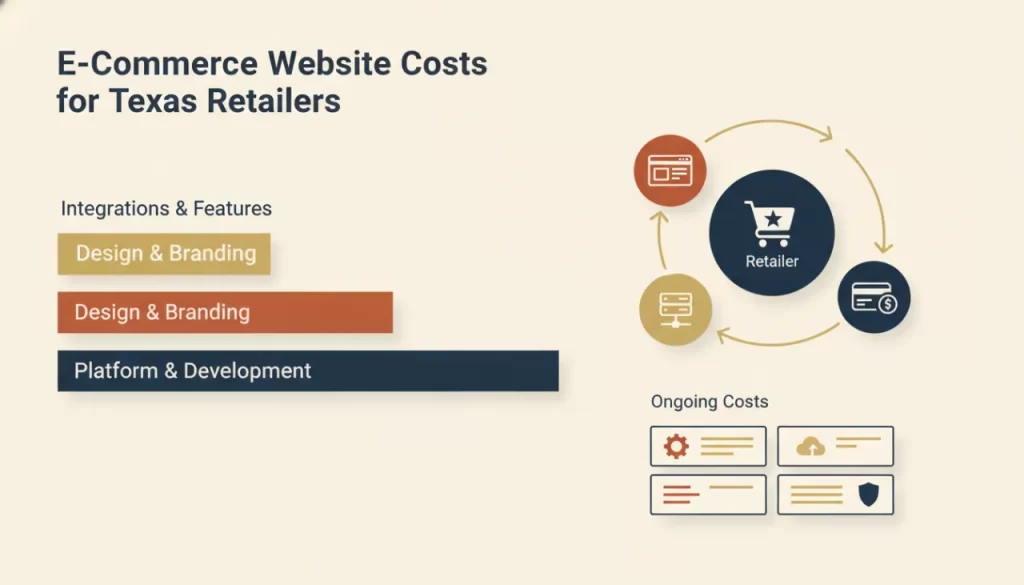
What Drives E-Commerce Website Costs
Product Volume
A site selling 20 handmade products is fundamentally different from a store with 500 SKUs across multiple categories. More products mean more time spent on data migration, category architecture, filtering logic, and product page optimization. Every product added to the build scope adds time and cost.
Payment Gateway Setup
Accepting money online requires payment processing integration. Stripe and PayPal are straightforward. Adding buy-now-pay-later options, custom checkout flows, or multi-currency support adds complexity. Gateway setup is typically included in a professional build, but the ongoing transaction fees — usually 2–3% per sale — are a cost you’ll carry long-term.
Inventory and Shipping Logic
Connecting your store to an inventory management system, syncing with a POS like Square, or building shipping rate logic (real-time carrier rates, flat-rate zones, free-over-threshold) are all custom development items. These are common needs and reasonable to expect, but they’re not free to build.
Custom Design vs. Theme Customization
Like any website, you can start with a pre-made theme or build custom. For e-commerce, this decision has a direct impact on conversion rates. A generic storefront template with your logo on top will convert at a much lower rate than a site designed around your specific products, customer, and brand story.
Shopify vs. WooCommerce: An Honest Comparison
Shopify
Shopify is a hosted platform: your store lives on Shopify’s servers, and you pay a monthly subscription (ranging from entry-level to enterprise plans, plus transaction fees unless you use Shopify Payments). It’s fast to launch, well-supported, and excellent for straightforward retail. The trade-offs: you don’t own the platform, you’re subject to Shopify’s terms and fee changes, and customization has real limits without custom development.
WooCommerce
WooCommerce runs on WordPress — you own the hosting and the code. It’s more flexible than Shopify, has no per-transaction platform fee, and integrates deeply with WordPress’s content and SEO capabilities. The trade-offs: more setup complexity, more responsibility for hosting performance and security, and a steeper learning curve. For businesses that want full ownership and maximum SEO flexibility, WooCommerce is typically the better long-term investment.
What Does an E-Commerce Build Actually Cost?
Without inventing specific numbers that don’t apply to every situation, here’s the honest framework:
- Simple store (under 50 products): Lower end of the professional range, but still a meaningful investment for design, setup, and launch.
- Mid-range store (50–300 products): Design, development, payment setup, shipping logic, and product migration — expect to invest significantly more than a standard business site.
- Custom store (300+ products, integrations, custom checkout): This is agency territory and priced accordingly. The complexity earns its cost when the store performs.
Visit our e-commerce services page to see how we approach online store builds, or our pricing page for a more direct look at ranges.
Ongoing Costs: What You’ll Carry After Launch
This is where most Texas retailers get caught off guard. E-commerce isn’t a one-time purchase — it’s infrastructure with recurring costs:
- Platform fees (Shopify) or managed hosting (WooCommerce): $30–$100+/month
- Payment processing: 2–3% per transaction
- SSL certificate: usually bundled with hosting
- Plugin/app fees: inventory management, email marketing, review platforms — these add up fast
- Maintenance: security updates, performance monitoring, and bug fixes
- Marketing: SEO, email campaigns, paid ads — your store doesn’t market itself
The Bottom Line for Texas Retailers
An e-commerce site is one of the most powerful investments a Texas retailer can make — and one of the most expensive mistakes if you treat it as a one-and-done purchase. Budget for the build, budget for ongoing costs, and budget for traffic. A beautiful store with no visitors doesn’t sell anything.
If you’re a Texas retailer ready to build an online store that actually performs, get in touch. We’ll give you a realistic picture of what it takes and help you plan the investment correctly from day one.
Frequently asked questions
Is Shopify or WooCommerce better for a small Texas retailer? +
Shopify is faster to launch and easier to manage for non-technical owners. WooCommerce gives you more control, better SEO flexibility, and no per-transaction platform fees. For businesses with strong content marketing or long-term SEO ambitions, WooCommerce on WordPress usually wins. For simpler stores where ease of management is the priority, Shopify is excellent.
Can I build an e-commerce site myself to save money? +
You can get a basic Shopify or WooCommerce store live yourself, and for a very small side-business it might be sufficient. But for a business that depends on the store for significant revenue, the conversion rate difference between a DIY setup and a professionally designed store typically makes professional development the better economic choice.
What’s the most common mistake Texas retailers make with their online stores? +
Treating the build as the finish line. A launched store with no SEO strategy, no product photography investment, and no ongoing marketing plan will not generate sales on its own. The store is the vehicle — you still need to drive traffic to it.
How long does it take to build a professional e-commerce site? +
A well-built store typically takes 8–14 weeks from start to launch, depending on product volume, custom integrations, and how quickly the client can provide product information and content. Rushing the timeline usually means skipping QA or SEO setup — both of which cost more to fix after launch.