Technical SEO Basics Every Texas Business Owner Should Understand
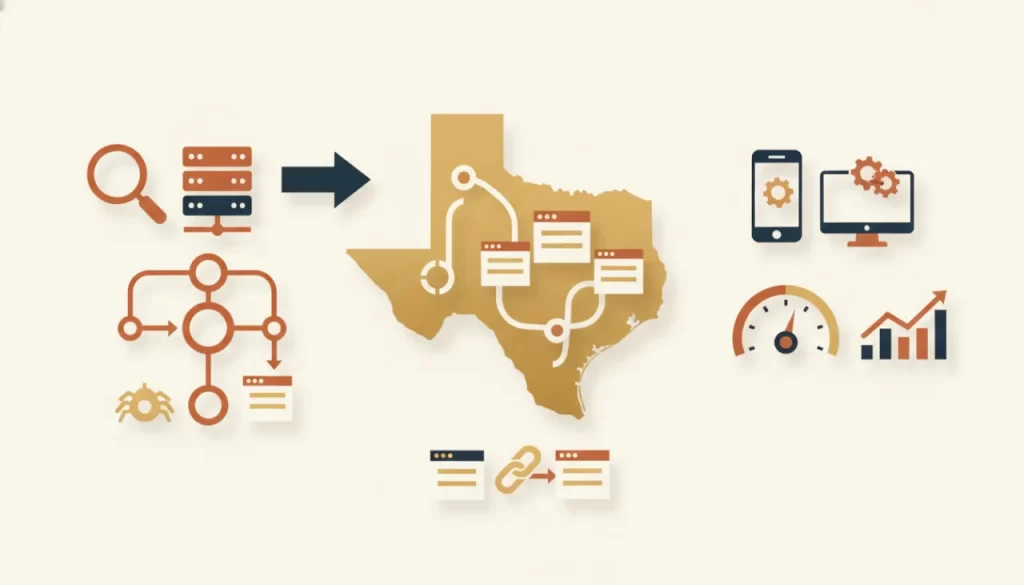
Technical SEO rarely makes for exciting reading. But ignoring it is one of the most common ways Texas businesses lose ground on Google without ever knowing why. The good news: you don’t need a developer’s knowledge to understand the essentials. You just need to know what to look for and when to ask for help.
Indexation: Is Google Actually Seeing Your Pages?
Before Google can rank a page, it has to index it — add it to its database. If your pages aren’t indexed, they simply don’t exist in search results. Check indexation by searching site:yourdomain.com in Google. If you see far fewer pages than you expect, or certain pages are missing, you have an indexation problem.
Common causes: pages blocked by robots.txt, pages marked “noindex” by mistake, or pages with thin content that Google decides not to index. All of these are fixable, but you have to know they exist first.
HTTPS: The Baseline Trust Signal
Every business website should be on HTTPS — the secure version of HTTP. Google has used HTTPS as a ranking signal since 2014, and browsers now warn visitors when a site isn’t secure. If your URL still starts with “http://,” that’s a priority fix. Most hosting providers make adding an SSL certificate straightforward and low-cost.
XML Sitemap: Your Site’s Table of Contents
An XML sitemap is a file that lists all the pages on your site, helping Google discover and crawl them efficiently. Every website should have one submitted through Google Search Console. If yours doesn’t have a sitemap, most modern content management systems can generate one automatically with a basic plugin.
Robots.txt: What You’re Telling Google to Ignore
The robots.txt file tells search engine crawlers which pages to skip. This is useful — you might want Google to ignore admin pages or duplicate content. It becomes a problem when critical pages are accidentally blocked. Check your robots.txt file at yourdomain.com/robots.txt. If you see Disallow: /, your entire site is blocked from Google. This happens more often than you’d think after site migrations.
Redirect Chains: Slow, Silent Ranking Killers
When a URL redirects to another URL that redirects to yet another URL, that’s a redirect chain. Each hop in the chain dilutes the link equity and slows down page load time. If you’ve redesigned your site or changed URLs over the years without cleaning up old redirects, you likely have chains lurking. Tools like Screaming Frog or Ahrefs can surface them quickly. Fix chains by pointing the original URL directly to its final destination.
Canonical Tags: Preventing Duplicate Content Confusion
If the same content is accessible at multiple URLs — such as both https://site.com/page and https://www.site.com/page — Google may see it as duplicate content and split ranking signals between the versions. A canonical tag tells Google which version is the authoritative one. Your web developer can add these, or your CMS plugin may handle it automatically.
Core Web Vitals: Speed and Stability Signals
Google uses three Core Web Vitals as ranking signals: Largest Contentful Paint (how fast the main content loads), Cumulative Layout Shift (how stable the page is visually), and Interaction to Next Paint (how quickly the page responds to clicks). You can check your scores in Google Search Console under the “Experience” section. Poor scores mean you’re likely losing both rankings and conversions.
A Simple Health Check You Can Do Today
- Search site:yourdomain.com — are your main pages indexed?
- Visit your site — does the URL show HTTPS?
- Check yourdomain.com/robots.txt — anything unexpectedly blocked?
- Open Google Search Console — any indexing errors or Core Web Vitals warnings?
These four steps take ten minutes and will surface the most common technical issues affecting Texas business sites. If you find problems but aren’t sure how to fix them, that’s what we’re here for. Our SEO services include a full technical audit, and a redesign builds in technical health from the ground up. Don’t let silent technical issues cost you rankings — our care plans include monthly monitoring to catch problems before they compound.
Frequently asked questions
How do I check if my website has technical SEO problems? +
Start with Google Search Console — it’s free and shows indexing errors, coverage issues, and Core Web Vitals data. For a deeper audit, tools like Screaming Frog crawl your entire site and surface technical problems automatically.
Will fixing technical SEO immediately improve my rankings? +
Fixing critical issues like blocked pages or broken redirects can improve rankings noticeably, sometimes within a few weeks. But technical SEO is foundational — it clears the path for your content and links to work, rather than producing ranking gains on its own.
Do I need to understand code to manage technical SEO? +
No. Many technical SEO tasks are handled through your CMS settings or plugins. For more complex issues — canonicals, redirect logic, structured data — a developer or SEO professional handles the implementation while you focus on the business.
How often should I audit my site’s technical health? +
At minimum, once a year for a full crawl audit, plus after any significant site changes (redesign, platform migration, URL restructuring). Monthly monitoring via Google Search Console catches issues between full audits.